



Best IPTV Subscription in the UK: Your Ultimate Entertainment Guide


A great evening’s entertainment starts with finding something you want to watch—and being able to watch it comfortably. Choosing an IPTV subscription means looking beyond a long channel list to consider picture quality, device compatibility, support and overall value.
The best IPTV subscription for a UK household is an authorised service that offers the programmes you want, works on your devices and provides clear subscription terms. Reliable playback and useful customer support matter more than impressive channel counts or promises of “zero buffering”.
This Rotvstream guide explains how IPTV works, what to check before subscribing and how to get your home ready for a better streaming experience.
What Is an IPTV Subscription?
IPTV stands for Internet Protocol Television. It delivers television through an internet connection rather than relying exclusively on a traditional aerial, cable connection or satellite dish. Ofcom’s introduction to IPTV explains how internet-delivered channels reach compatible televisions.
An IPTV subscription pays for access to a particular service. Depending on the provider and package, that might include live channels, films, series or catch-up viewing.
Three things determine what you can actually watch:
- Your subscription: The content and features included in your package.
- Your device and app: Whether they support the service and its playback requirements.
- Your internet connection: Whether it can sustain the required streaming quality.
A subscription and a player app are different products. Installing a player does not automatically give you access to television channels.
IPTV vs Traditional TV: What Changes?
Internet-delivered television can offer convenient viewing across compatible screens. However, the benefits depend on the individual package, and many traditional TV providers now offer streaming features too.
| What to compare | Traditional cable or satellite packages | Internet-delivered TV subscriptions |
|---|---|---|
| Delivery | Cable or satellite infrastructure; some features use broadband | Internet connection |
| Equipment | May require an installation or provider box | Requires a compatible device and app |
| Price | Depends on bundle, equipment and contract | Depends on content, plan and optional features |
| Multiple screens | Depends on package and companion apps | Depends on device support and simultaneous-stream limits |
| Live delay | Varies by broadcast platform | Varies by service, encoding and buffering |
| Broadband needs | Linear broadcasts may work without broadband | A stable connection is essential |
Compare the total cost of watching, including broadband, equipment, app fees and any additional subscriptions you need. Internet delivery does not automatically mean a lower overall bill.
How to Choose the Best IPTV Subscription in the UK
Start with your household’s viewing habits. Someone who watches occasional films needs a different package from a family using several screens every evening.
1. Check the Content You Actually Want
Write down your essential channels, programmes and viewing features before comparing subscriptions.
Ask whether the package includes:
- The channels and programmes you regularly watch.
- Suitable children’s content and parental controls.
- Subtitles or accessibility features you need.
- Catch-up viewing for the relevant channels.
- The specific sporting competitions you follow.
For sport, confirm the exact event and the provider’s UK distribution rights. A general “sports included” claim does not establish that every match is available.
2. Confirm Compatibility With Your Exact Device
“Smart TV compatible” is not enough information. Compatibility can depend on the television’s operating system, model year, region and available apps.
Before subscribing, identify your device precisely—for example, the television model or streaming-stick generation—and check it against the provider’s current requirements.
Also distinguish between registered devices and simultaneous streams. Installing an app on three devices does not necessarily mean three people can watch at once.
3. Look for Clear Pricing and Terms
A useful subscription offer should explain the full price, duration, renewal arrangements and cancellation process.
Check for separate player-app charges, extra-screen fees and any limitations on refunds. If a trial is available, read its conditions and use it on the device and connection you intend to watch with.
A longer commitment may reduce the monthly equivalent, but it also increases the amount paid upfront.
4. Evaluate Playback During Your Normal Viewing Hours
The most useful test is watching when you would normally use the service.
Look at channel-loading time, picture consistency, audio synchronisation and how easily you can navigate the programme guide. If available, test both live and on-demand content.
Treat claims such as “anti-freeze technology” as marketing descriptions unless the provider explains what they mean and supplies evidence of performance.
5. Check How Support Works
Before paying, find out how to contact the provider and what information they need to resolve a problem.
Useful support should help identify whether an issue involves your account, app, device, home network or an individual stream.
You can contact Rotvstream to ask about current packages, device requirements and subscription conditions.
Is IPTV Legal in the UK?
IPTV is a delivery technology. Whether a service is lawful depends on whether it has permission to distribute the content it offers.
Paying a subscription does not, by itself, prove that the seller holds the necessary rights. Similarly, finding a player in an app store does not establish that every playlist loaded into it is authorised.
The UK Intellectual Property Office’s guidance on illicit streaming explains the distinction between legitimate streaming and access without the copyright owner’s permission.
Before choosing a service, look for clear business details, terms and credible information about content authorisation. This guide is a buying checklist, not a certification of any provider’s distribution rights.
Do You Need a TV Licence?
In the UK, you need a TV Licence to watch or record live television programmes on any channel or service. You also need one to watch or download BBC programmes on BBC iPlayer.
Watching only on-demand programmes on other services normally does not require one. See the official TV Licence guidance for the rules that apply to your viewing.
Your streaming subscription and your TV Licence are separate.
Choosing an IPTV Player for Your Device
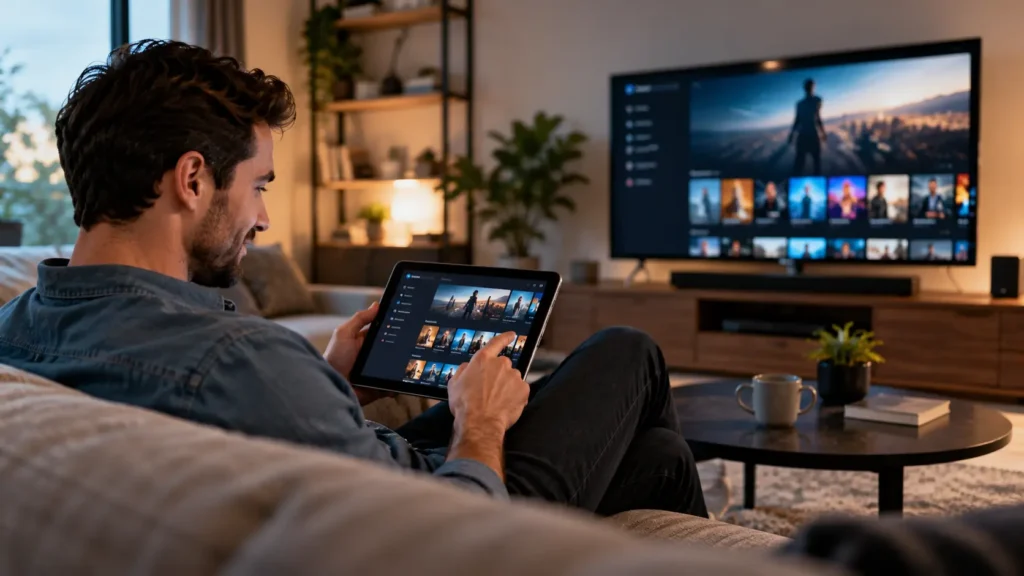
An IPTV player is the software used to organise and play compatible streams. Some services provide their own app; others support a separate player.
The right starting point is the service’s official setup guidance.
| Device | What to check before choosing an app |
|---|---|
| Samsung Smart TV | Support for your Tizen version, model year and UK app store |
| LG Smart TV | Compatibility with your webOS version and television model |
| Android TV or Google TV | Supported TV app, remote-control navigation and playback formats |
| Fire TV device | Support for your exact model and its current operating system |
| iPhone, iPad or Apple TV | A supported app for the relevant Apple platform |
| Windows or Mac | Official browser support or a compatible desktop application |
Useful player features may include favourites, an electronic programme guide, subtitles and parental controls. Recording, catch-up and multiple-screen viewing depend on both the player and the service.
Avoid assuming that an app available on one platform is also available on another.
How to Set Up IPTV on a Smart TV or Streaming Device
Setup varies by provider, but the following process gives you a practical starting point.
- Confirm your subscription and device support. Check that the service authorises the content you want and supports your exact device.
- Connect your device to broadband. Use Ethernet where practical, or a strong Wi-Fi connection.
- Install the supported app. Follow the provider’s and app developer’s official instructions.
- Sign in using the supported method. This may involve an account login, activation code or, for compatible services, an M3U playlist or Xtream Codes details.
- Allow the content list to load. Open the programme guide and test a channel or programme.
- Adjust your preferences. Set up favourites, subtitles and parental controls where available.
Keep account details and playlist links private: they may contain credentials that grant access to your subscription.
If setup fails, record the error message and your device model before contacting support. Those details make troubleshooting much easier.
What Internet Speed Do You Need for IPTV?
There is no universal minimum speed for every IPTV subscription. Requirements vary with resolution, compression, frame rate and the service’s actual stream bitrate.
As a reference point, Netflix publishes these recommendations for its own service:
| Netflix picture quality | Recommended stable connection |
|---|---|
| HD: 720p | 3 Mbps or higher |
| Full HD: 1080p | 5 Mbps or higher |
| Ultra HD: 4K | 15 Mbps or higher |
These figures come from Netflix’s internet-speed guidance. They are not guaranteed requirements for another provider’s live IPTV streams.
Ask your chosen service for its own recommendations and leave capacity for other people using the connection. Two simultaneous streams, downloads and video calls all share your household bandwidth.
Test the connection near your viewing device. A fast broadband package cannot compensate for weak Wi-Fi coverage in the room where you watch.
How to Reduce IPTV Buffering
Buffering does not always mean your broadband package is too slow. It can also involve wireless interference, device limitations, app problems or the provider’s infrastructure.
Try these checks in order:
- Compare different programmes or channels. A problem affecting one stream may be specific to that stream.
- Restart the app and device. Check for supported software updates.
- Test the connection at the viewing device. Compare the result with the service’s requirements.
- Try Ethernet where available. This can help identify whether Wi-Fi is contributing to the issue.
- Pause large downloads and other heavy activity. Then test playback again.
- Reduce picture quality temporarily. Improvement at a lower resolution can help narrow down the cause.
- Contact support with useful details. Include the channel, time, error message, device and connection type.
If the problem occurs mainly during busy live events, ask the provider to investigate. Changing settings at home cannot resolve every issue originating with the service.
Does 4K Automatically Mean Better Value?
4K can be appealing, but the complete viewing setup needs to support it.
Check whether the specific programme is supplied in 4K, whether your plan includes that quality and whether your device, app and display support playback.
Resolution is only one part of the picture. Source quality, compression, frame rate and connection stability also affect what you see.
A consistent Full HD stream may offer a more enjoyable experience than a 4K option that repeatedly pauses.
Finding a Subscription That Fits Your Household
Use your viewing priorities to narrow down the options.
| Your priority | What to compare |
|---|---|
| Family entertainment | Parental controls, suitable content and simultaneous streams |
| Live sport | Authorised event coverage, playback consistency and live delay |
| Films and series | Catalogue relevance, subtitles and on-demand navigation |
| Watching on several devices | Supported platforms and account limits |
| Simple everyday use | Remote-friendly menus, favourites and accessible support |
| Keeping costs manageable | Total price, renewal terms and optional charges |
To explore the information currently published by the brand, visit the Rotvstream UK IPTV homepage. Confirm package details, content authorisation and compatibility before making a purchase.
Frequently Asked Questions
What is the best IPTV subscription in the UK?
The best choice depends on your viewing needs. Compare authorised content, device compatibility, playback reliability, total cost, support and subscription terms.
What is the difference between an IPTV player and an IPTV subscription?
An IPTV player is software that plays compatible streams. An IPTV subscription provides access to a service’s content. Installing a player does not automatically include channels.
Can I use one IPTV subscription on multiple devices?
It depends on the plan. Registered-device allowances and simultaneous-stream limits are different, so confirm both before subscribing.
Do I need a VPN for IPTV?
A VPN is not inherently required for IPTV. Check your provider’s terms and location restrictions. A VPN does not grant rights to unauthorised content or guarantee faster streaming.
Can I watch IPTV on a Smart TV?
Yes, if your television supports the service’s app or another approved playback method. Check your exact model, operating system and region before subscribing.
Why does IPTV buffer even with fast broadband?
Possible causes include weak Wi-Fi, network congestion, device limitations, app issues or problems with the provider’s stream. Test your connection at the viewing device and compare several channels.
Choosing an IPTV subscription becomes easier when you know what matters to your household. Start with the content you want, confirm the practical details and select a service whose terms you understand.
For questions about Rotvstream’s current offering, get in touch with the team with your device model and viewing requirements.